
This article will guide you through adapting from the old Exchange to the new Exchange integration.
Step-by-step guide
-
Access the integration page from the SETUP module and navigate to INTEGRATIONS → Other systems.
-
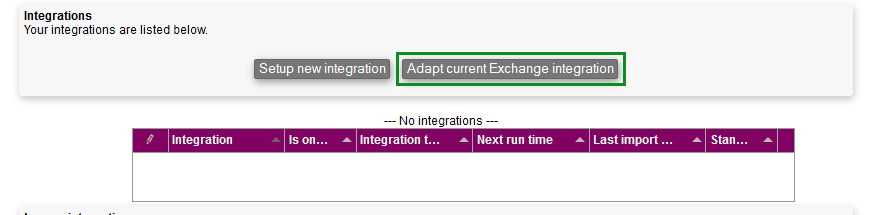
Click "Adapt current Exchange integration"
-
Choose which Exchange integration you want to adapt and click Continue

You are now done converting the integration!
Convert users
When have you successfully converted the Exchange integration, the users still need to be manually converted.
This is done by manually deleting the old connections and setting up new ones.
-
Access the old Exchange integration page in the SETUP module and navigate to INTEGRATIONS → EXCHANGE
-
Delete every connection by accessing

You can read about how you set up new connections here
Related articles
Filter by label
There are no items with the selected labels at this time.